Home Assistant: Beginner to Advanced in 6 Months
A 6-month Home Assistant roadmap: install and basics, automations, add-ons, Node-RED, voice and finally multi-room Matter - one realistic step at a time.


Home Assistant can do almost anything, which is exactly why beginners bounce off it. The trick is not to learn it all at once but to follow a path where each month leaves you with a system that already works and a clear next step. This is the six-month roadmap I would hand someone starting today - from first install to a voice-controlled, multi-room, Matter-ready home.
Home Assistant is a free, open-source home-automation platform (software that connects and controls your smart devices locally, without relying on the cloud). Everything below runs on it, and the whole point of the staged approach is that you keep a working home at every step.
Month 1: How do you get a working install?
The goal for month one is modest and important: a running Home Assistant instance with a handful of devices showing up. Do not automate anything yet - just get the foundation solid. Most people install on a Raspberry Pi or a small mini PC; both are covered in detail in Home Assistant on a Raspberry Pi and the best mini PCs for Home Assistant. A Pi is cheaper and fine to learn on; a mini PC gives you headroom for later months when add-ons and camera processing pile up.
Once it boots, walk through the onboarding, connect two or three devices you already own - a smart plug, a light, your router for presence - and read getting started with Home Assistant for the first-week orientation. End the month when you can see live device states on a dashboard. That is the whole job.
Month 2: How do you write your first automations?
Now the system earns its place. Month two is about automations - the rules that make lights, heating and notifications happen on their own. Start with the visual automation editor rather than YAML; it is forgiving and teaches the trigger-condition-action shape that everything else builds on.
Pick three automations that solve a real annoyance: a light that comes on at sunset, a phone alert when a door is left open, heating that drops when everyone leaves. Working from concrete examples beats abstract tutorials, which is why 25 Home Assistant automation examples is the right companion this month. By the end you should have a handful of automations you would actually miss if they stopped.
Month 3: Which add-ons and integrations are worth it?
With automations under your belt, month three expands what Home Assistant can reach. Add-ons are self-contained extra services you install with a click; integrations connect new device ecosystems and online services. The temptation is to install everything - resist it, and add only what serves an automation you actually want.
Two reads carry this month: the 12 most useful add-ons and the best integrations for 2026. This is also the natural point to bring in your energy data - if you are on a UK smart meter or Octopus tariff, the Octopus Energy integration and the SMETS2 energy dashboard guide turn raw usage into automations that actually save money. Tidy your dashboard while you are here, using the no-YAML dashboard guide.
Month 4: When should you move to Node-RED?
By month four, some of your automations will be getting complicated - long chains of conditions, timing logic, things the built-in editor makes awkward. That is the signal to try Node-RED, a visual flow-based tool where you wire logic together as connected nodes. It is not mandatory; plenty of advanced setups never use it. But for branching, multi-step logic it is far clearer than nested YAML.
Install it as an add-on, rebuild one of your fiddlier automations as a flow, and see whether the visual model clicks for you. If it does, it becomes your home for anything non-trivial; if it does not, your existing automations still work and you have lost nothing. Month four is also a good time to add camera or presence intelligence - Frigate NVR and its AI object detection are the standard local, private approach.
Month 5: How do you add local voice control?
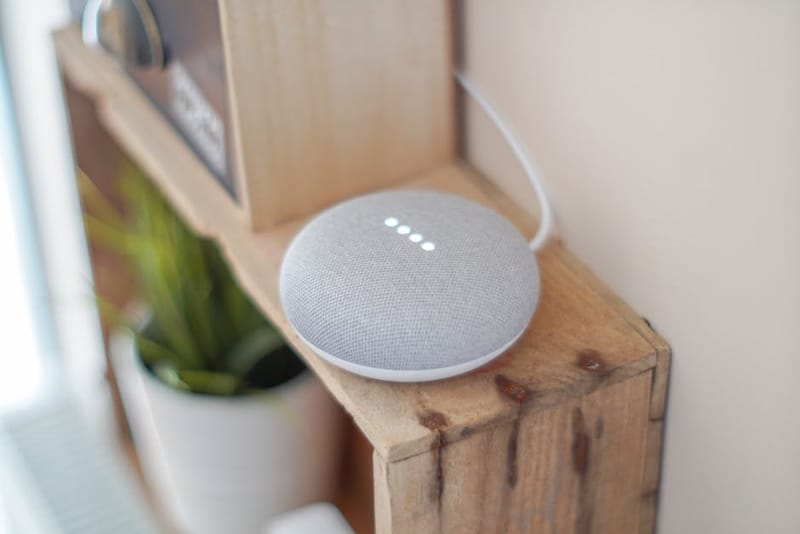
Month five makes the home talk back, locally. Home Assistant's voice stack runs on-device using Whisper for speech-to-text and Piper for text-to-speech, so commands never leave your network - a genuine privacy win over cloud assistants. Start with text-based voice in the app, then add a satellite device once the pipeline works.
Set realistic expectations: local voice is good and improving, but it is not yet as slick as a polished commercial assistant for open-ended questions. Where it shines is controlling your own devices - 'turn off the kitchen' - reliably and privately. Get one room working end to end before expanding.
Month 6: How do you go multi-room and Matter-ready?
The final month scales the system out and future-proofs it. Multi-room means presence-aware automations that follow you around the house and per-room control that feels effortless. Matter (a cross-vendor smart-home standard backed by Apple, Google, Amazon and Samsung) is the piece that makes new devices interoperate without hunting for integrations, and Home Assistant speaks it natively.
Add a Thread border router if you are buying Matter-over-Thread devices, group your entities by area, and build the handful of whole-home automations - arriving, leaving, bedtime, away - that tie everything together. Six months in, you have gone from a single smart plug to a private, local, voice-controlled home that you actually understand. Keep an eye on the monthly releases (the 2026.6 release notes are a good example of what to watch) and add capability as you need it, not before.
Frequently asked questions
Do I need to know how to code to use Home Assistant?
Should I run Home Assistant on a Raspberry Pi or a mini PC?
Is Home Assistant voice control private?
What is Matter and do I need it?
Getting Started with Home Assistant

25 Home Assistant Automation Examples
The 12 Most Useful Home Assistant Add-ons