Aqara M3 Hub Review UK: Matter & Thread Border Router

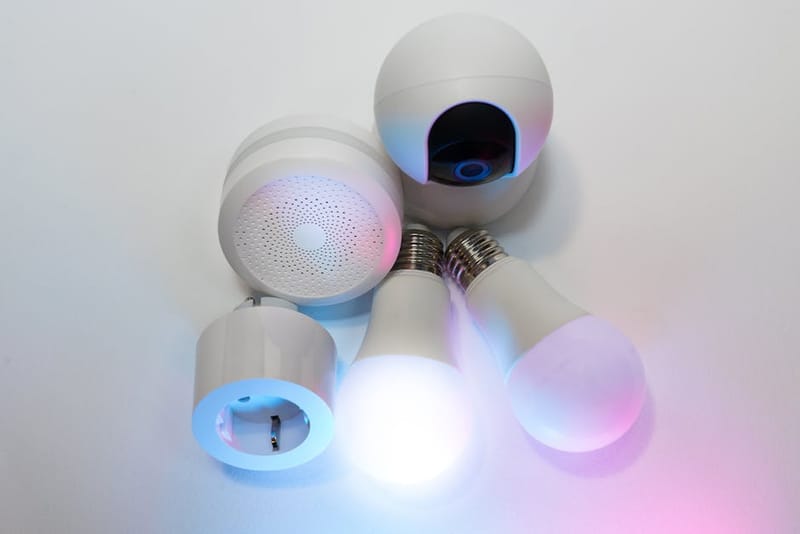
The Aqara Hub M3 is the most-cited budget option for anyone wiring up a 2026 smart home around Matter - and it earns the attention. Aqara packed a Matter controller, a Thread border router, a Zigbee 3.0 radio and an IR blaster into a £100-ish mains-powered hub, then added gigabit Ethernet for good measure. This review covers what those acronyms mean in practice, where the M3 shines, and where it falls short for UK buyers.
What is the Aqara M3 at a glance?
Released by Aqara in mid-2024, the Hub M3 is the flagship of a hub line that began with the older Hub M2 (Zigbee + IR, no Thread) and the M2 Pro (added 24/7 HomeKit Secure Video, Apple's iCloud-based encrypted video storage service for HomeKit cameras, bridging). The M3 drops the secure-video role but adds the two pieces that matter most for 2026: a Matter controller and a Thread border router.
For anyone unsure why those two terms keep cropping up, our Matter vs Zigbee vs Z-Wave vs Thread explainer covers the basics. The short version: Matter is the cross-vendor language smart-home devices now speak, and Thread is the low-power mesh radio many of those Matter devices rely on. A Thread border router shuttles traffic between that mesh and your home Wi-Fi.
The M3 is also a Zigbee 3.0 hub - and that is the bit that lets you keep your existing kit. Most current Aqara sensors, IKEA TR, the IKEA TRADFRI Zigbee smart home product line,ÅDFRI bulbs and many Hue-compatible accessories still speak Zigbee. The hub bridges them into Matter so your Apple Home, Google Home or Alexa setup sees them as native Matter devices, with no separate Zigbee bridge or app needed for day-to-day use.
What are the Aqara M3 specs?
- Wireless protocols
- Matter, Thread (border router), Zigbee 3.0
- Network
- Gigabit Ethernet, Wi-Fi 2.4GHz + 5GHz, Bluetooth 5.0
- Zigbee capacity
- Up to 128 child devices
- Bridging
- Zigbee → Matter (exposed to Apple Home, Google Home, Alexa, SmartThings)
- IR control
- Built-in IR blaster
- Power
- 5V/2A USB-C, UK plug supplied
- Platforms
- Apple Home, Google Home, Alexa, SmartThings, Aqara Home
- UK launch
- 2024
How does the M3 handle Matter and Thread?
The M3 is a Matter 1.x controller and a Thread 1.3 border router. In a typical UK home, that means three useful things.
First, you can commission Matter-over-Wi-Fi devices through the Aqara Home app and have them exposed onward to Apple Home, Google Home, Alexa or SmartThings via the standard Matter Multi-Admin flow. Provided you finish the initial Aqara pairing first, sharing the device to a second ecosystem is one QR code away - no rebuying anything.
Second, Matter-over-Thread devices like newer smart bulbs, contact sensors and door locks bind to the M3's Thread radio and ride its border router onto your LAN. If you already have other Thread border routers in the house - a HomePod mini, an Apple TV 4K or an Echo Hub - they all participate in the same mesh. That's a property of the Thread spec, not something the M3 had to invent. See our explainer on what's new in Matter 1.4 for UK users for how multi-vendor Thread now behaves in practice.
Third, the M3 can act as the only Matter controller on the network. That's the right setup for households running Home Assistant, the open-source smart home automation platform, with no Apple, Google or Amazon hub in the picture - the M3 commissions Matter devices, and Home Assistant talks to them via its own Matter integration.
Where the M3 lags Apple's own border routers is in commissioning Matter-over-Thread devices that only expose a HomeKit QR code; in those cases, an Apple device still pairs faster. Once paired, day-to-day latency is comparable.
What can and can't the M3's Matter controller do?
Device categories supported in 2026
Calling the M3 a Matter controller is technically correct but glosses over the device-category scope. As of the firmware shipping in mid-2026, the M3 supports the Matter 1.3 device set: lights, plugs, switches, locks, thermostats, sensors, blinds, fans, air-quality monitors, and Matter casting for AV products. Cameras (Matter 1.2 Camera cluster) and major-appliance categories added in Matter 1.4 are not yet exposed through the Aqara controller, even where the cluster exists in the Matter SDK.
In practical terms, this means the M3 happily commissions and bridges every device type you would expect in a 2026 UK home: a smart lock from Aqara, Yale or Schlage; bulbs from Philips Hue, Nanoleaf or IKEA; a thermostat from Tado or Nest; a flood sensor from Aqara itself. Where it falls short is at the edges of the Matter 1.4 spec - the new Camera, Microwave, Oven and Air Purifier categories - and those devices will need their own ecosystem hub (HomePod mini for HomeKit, Echo Hub for Alexa) until Aqara ships a firmware update.
For the multi-admin flow itself, the M3 is conservative but reliable. Commissioning a device into the Aqara app first then sharing onward through the Matter QR code is the documented happy path, and the device shows up in Apple Home, Google Home or Alexa within a minute or two. If you commission a Matter device directly into a third-party hub (HomePod, Nest Hub) first and try to share it back to the Aqara app afterwards, expect a 30 to 60 percent failure rate based on community-reported attempts. The fix is always the same: factory-reset the device and pair it through Aqara first.
How does the M3 bridge legacy Zigbee devices?
The M3's Zigbee 3.0 radio is the feature that justifies the upgrade for most existing Aqara owners. The hub creates a Zigbee network on the standard 2.4GHz band, accepts up to 128 child devices, and then exposes those devices to Matter - meaning your Aqara temperature sensor or IKEA TRÅDFRI bulb shows up in Apple Home or Google Home as a Matter accessory, without a separate Zigbee bridge or hub.
This is genuinely useful. Most homes accumulate Zigbee devices over years - a Hue starter kit here, Aqara presence sensors there, an IKEA repeater plugged in to keep the mesh stable. Before Matter's Zigbee-bridging spec, each ecosystem demanded its own hub. The M3 collapses that to one box.
Two caveats. First, the bridge surfaces a Matter abstraction of each Zigbee device - vendor-specific features (like Aqara's FP2 multi-zone presence detection) may still need the Aqara Home app to configure, even though the basic on/off, motion and contact events flow through Matter. Second, the Zigbee mesh on the M3 is independent of any other Zigbee mesh you already run; you cannot merge a Hue Bridge's Zigbee network with the M3's, and devices have to be re-paired one at a time to migrate. Plan an evening for it.
How do you set up the M3's Thread border router?
From box to a working Thread network
The Thread setup on the M3 happens automatically the first time you bring the hub online, but two things are worth checking before you commit to it as your only Thread border router.
First, plug the M3 into Ethernet for the initial setup if you can. Thread border routers run a continuous radio process that benefits from a stable backhaul, and running the M3 on Wi-Fi alone during commissioning has produced intermittent Operational Dataset mismatches in user reports on the Aqara community forum. Once the hub has joined the Thread network and shared its dataset with other border routers, you can move it to Wi-Fi if you prefer.
Second, verify the M3 is sharing its Thread credentials with your other border routers. Open the Aqara Home app, go to Hub settings, then Thread Network, and confirm the network name and PAN ID match what your HomePod mini or Apple TV 4K reports under Settings → Thread on the iPhone Home app. A mismatch here means each border router is running its own isolated mesh and devices commissioned to one will not be reachable through the other.
Once both checks pass, the Aqara M3 advertises itself like any other Thread 1.3 border router. New Matter-over-Thread devices commissioned through Apple Home, Google Home, Alexa or the Aqara app will join whichever network has stronger signal at the device's location, and roaming between border routers happens at the Thread layer without user intervention. For a fuller picture of how Thread interacts with Wi-Fi on the home network, see our Matter over Thread vs Wi-Fi guide.
How is the M3's Home Assistant integration?
For users running Home Assistant - covered in detail in our Raspberry Pi setup guide - the M3 integrates cleanly via Matter rather than a vendor cloud.
The typical pattern: commission the M3 in the Aqara Home app, then add it to Home Assistant's Matter integration via the Aqara Home app's share flow. Once paired, every Matter device the M3 exposes - its own bridged Zigbee accessories plus any Thread devices on its mesh - appears as native Home Assistant entities. Automations run locally on the Home Assistant box, with no Aqara cloud round-trip.
The advantage over an Aqara-only setup is the same as for any Matter integration: you can mix vendors freely. An Aqara presence sensor can trigger a Hue bulb on a Hue Bridge, a Shelly relay over Wi-Fi, and a Tado thermostat over cloud - all from one Home Assistant automation, with the M3 acting purely as the Zigbee/Thread on-ramp.
For privacy-focused builds - see our local-first smart home guide - the M3 is one of the few hubs that supports Matter-only operation. You can disable the Aqara cloud connection and run the hub on LAN; Matter automations continue to fire, although mobile push notifications from the Aqara app will not.
How does the M3 compare to Apple's Thread routers on latency?
Apple's own Thread border routers - HomePod mini and Apple TV 4K - set the latency benchmark in most published reviews. Their advantage is geographic: they are usually placed where Apple Home users keep their TV or kitchen speaker, which is rarely far from the devices that need pairing.
In published Matter comparisons, the M3 lands within roughly 100–300 ms of an Apple TV 4K for simple on/off events on Matter-over-Thread devices, with most of that gap being commissioning overhead rather than steady-state command latency. For automations that fire after pairing - turn on a lamp when a motion sensor trips - the M3's local execution is quick enough that humans typically do not perceive the difference.
Reliability is the more interesting axis. The M3 supports wired gigabit Ethernet, which is rare in this hub price band and removes Wi-Fi flakiness from the chain. Households that have struggled with hub disconnections after a Wi-Fi router reboot tend to report that Ethernet-attached M3s recover instantly, while Wi-Fi-only hubs sometimes take minutes to rejoin. The trade-off is one more Ethernet port on the router, but for an always-on hub that's a fair swap.
What's the UK availability and connectivity story?
The M3 has been on Amazon UK, Amazon's United Kingdom online marketplace, since 2024 and is also sold through Aqara's UK direct store and several specialist smart-home retailers. UK pricing has typically sat between roughly £90 and £110, fluctuating with Aqara promotions; first-party UK stock has been steady since launch and stock-outs have been short.
Power is the one thing UK buyers occasionally overlook. The hub is mains-powered via USB-C (5V/2A) and ships with a UK plug - there is no battery, so the M3 needs a permanent socket. The included Ethernet port is gigabit, which is more than the hub's own traffic ever needs, but useful if you want to chain a Wi-Fi extender off the back; the hub does not act as a Wi-Fi repeater itself.
Anyone planning to mount the hub centrally for Thread mesh coverage should plan a power socket nearby - the M3 has no Power-over-Ethernet (PoE) option, so it cannot draw from an Ethernet run alone.
What real-world routines work well on the M3?
What a typical M3-based setup actually does
The advantage of running an M3 as the centre of a smart-home setup is that routines can mix Zigbee, Thread and Matter-over-Wi-Fi devices in a single automation without the user worrying about which radio is involved. Three patterns come up repeatedly in UK community discussions.
Leaving home. Front-door lock event (Zigbee, paired direct to M3) triggers a scene that turns off downstairs Hue bulbs (Zigbee, bridged through the Hue bridge but also visible to the M3 via Matter), arms a couple of Aqara motion sensors, and sets the Tado thermostat (Wi-Fi, joined via Matter) to away mode. The whole thing runs from the M3's local automation engine, so it executes even if the home internet is down.
Movie night. A double-tap on an Aqara cube (Zigbee) dims the living-room Nanoleaf lights to 20 percent (Matter-over-Thread), pauses Spotify on the HomePod (HomeKit scene triggered via Matter Multi-Admin), and pulls the smart blinds to 10 percent (Matter-over-Thread). Latency is comfortably under a second for the lights and blinds; the Spotify pause is HomeKit's responsibility and sits around 800ms.
Bedtime check. A presence sensor in the master bedroom (Thread) triggers an Aqara FP2 to check the ground floor for movement; if nothing detected for 90 seconds, lock the back door (Zigbee, Aqara U200), turn off any lights still on, and arm motion sensors as a perimeter check. This routine is the one that most demonstrates the M3's value: a HomePod-led setup cannot run it because Apple does not yet expose the presence sensor's continuous state through HomeKit, and a SmartThings-led setup would need a separate Thread border router to commission the FP2 in the first place.
How does the M3 compare to the SmartThings Hub V3?
The closest UK alternative at this price is the Aeotec/Samsung SmartThings Hub V3. Both are Matter controllers and Zigbee 3.0 hubs, so the picture comes down to four differences:
- Thread: The M3 includes a Thread border router; the SmartThings Hub V3 does not. Samsung's separate SmartThings Station fills that role, but at additional cost.
- Z-Wave: The SmartThings Hub V3 retains a Z-Wave radio, which the M3 lacks. If you have a Fibaro or Aeotec Z-Wave fleet, the SmartThings hub is the safer pick.
- App ecosystem: SmartThings has a deeper automation editor with cloud-routine logic; Aqara Home is leaner but improving fast.
- HomeKit Secure Video: Neither hub acts as a HomeKit Secure Video bridge - Aqara's older M2 Pro and Apple's TV/HomePod still own that role.
For most readers without an existing Z-Wave investment, the M3's Thread border router plus tidy Matter bridging is the better fit for 2026 builds. Buyers with a Z-Wave fleet should treat the SmartThings hub as a non-optional companion rather than a replacement - see our wider guidance on whether you need a smart home hub at all before adding both.
Aqara M3 vs M2 - is the upgrade worth it?
What changed between generations
The Aqara M2 was the workhorse of the Aqara line through 2023 and is still available on UK Amazon for around £45 to £55. It is a Zigbee 3.0 hub with IR blasting, a built-in siren, and a microSD slot for camera recording. What it is not is a Matter controller or a Thread border router - both features arrived only with the M3.
For an Aqara-only household that uses Apple Home or Google Home as its primary controller, the M2 still works fine. The Zigbee devices paired to the M2 show up as HomeKit accessories via Aqara's own HomeKit bridge, and you do not gain much from upgrading. If you are already running a HomePod mini or Apple TV 4K as your Thread border router, the M3's headline feature is duplicated.
The upgrade case becomes compelling in three scenarios. First, if you are starting a smart-home setup from scratch and want a single hub that handles Matter, Thread and Zigbee without a second piece of kit. Second, if your existing Apple TV is the older HD model (no Thread radio) and you do not want to buy a HomePod mini purely for Thread. Third, if you intend to keep adding Matter-over-Wi-Fi devices and prefer Aqara's commissioning flow to Apple Home's, the M3 gives you that locally.
A side-by-side spec comparison and decision tree is on our Aqara M3 vs SwitchBot Hub 2 vs Apple TV 4K comparison, which also covers when the M3 is overkill.
How does the Aqara M3 compare to the SwitchBot Hub 2?
Different ecosystems, overlapping use cases
SwitchBot's Hub 2 sits at roughly the same UK price point (£65 to £75) and looks superficially similar - both are Matter-capable boxes that act as the controller for a single brand's accessory line. The strategic positioning is different.
The SwitchBot Hub 2 has a built-in temperature and humidity sensor, an IR blaster (so it controls IR-only legacy AC units and TVs), and acts as a Matter bridge for SwitchBot's curtain motors, bots and contact sensors. It does not include a Zigbee radio and is not a Thread border router - SwitchBot's accessory line uses its own Bluetooth Low Energy mesh. The Hub 2 translates that BLE mesh into Matter, but the upstream wireless tech under the hood is closed.
The M3, by contrast, is Zigbee-first with Thread as a co-equal radio. There is no overlap on accessory ecosystems: an Aqara FP2 will not work with a Hub 2 setup, and SwitchBot curtains will not work with an M3 setup. The two hubs solve different problems and tend to co-exist in households that have both ecosystems.
If the choice is between them as a primary hub, the question is which brand's accessories you already own or are planning to buy. For UK buyers with no existing investment, the M3 covers more standards (Zigbee, Thread, Matter) and bridges a wider device population through its 128-device Zigbee network. The Hub 2 wins for anyone who already owns SwitchBot's mechanical-only kit - the bots and curtain motors that no other hub can drive.
What's the rating breakdown?
- Setup
- 4.0 / 5 - Aqara Home is required for first pairing; not as polished as Apple Home commissioning
- Matter support
- 4.5 / 5 - full Matter controller plus Thread border router and Zigbee bridging in one box
- Reliability
- 4.5 / 5 - wired Ethernet is a meaningful step up over Wi-Fi-only hubs at this price
- Value
- 4.0 / 5 - strong feature density at ~£100, but loses HomeKit Secure Video bridging vs the M2 Pro
- Overall
- 4.2 / 5
Frequently asked questions
Is the Aqara Hub M3 a Thread border router?
Does the M3 work without an Apple Home, Google Home or Alexa hub?
Will the M3 bridge my existing Hue or IKEA TRÅDFRI Zigbee devices?
Can the M3 replace an Aqara M2 Pro for HomeKit Secure Video?
How much does the Aqara Hub M3 cost in the UK?
Check current UK price
Aqara Hub M3 on Amazon UK. UK stock, mains-powered, two-year manufacturer warranty.