TP-Link Deco BE85 Review: Wi-Fi 7 Worth £999?

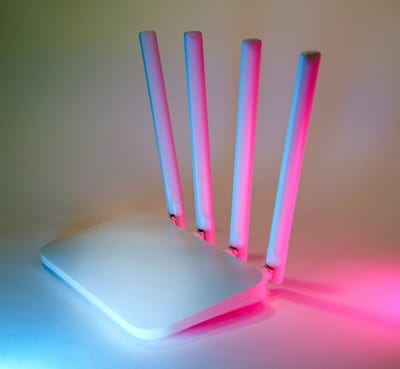
The TP-Link Deco BE85 review for 2026 sits at an awkward crossroads: it is the most capable mesh system TP-Link has ever shipped, and one of the most over-specified pieces of consumer networking hardware most people will ever consider. This is the honest UK take - what the £999 two-pack actually delivers, what counts as overkill in 2026, and which households genuinely benefit from Wi-Fi 7 today.
What is the TP-Link Deco BE85?
The Deco BE85 is TP-Link's flagship Wi-Fi 7 mesh - the BE22000-class model that sits one rung below the BE95 and several rungs above the cheaper Deco BE65 and X-series Wi-Fi 6E units. The headline numbers are tri-band, six streams across 2.4 GHz, 5 GHz and 6 GHz, with the full Wi-Fi 7 toolkit underneath: 320 MHz channels on the 6 GHz band, 4K-QAM (4096-QAM) modulation, Multi-Link Operation, and a dedicated wireless backhaul that can also fall back to wired 10GbE.
What sets the BE85 apart from rival Wi-Fi 7 systems is the wired port loadout. Each node ships with two 10 Gigabit Ethernet ports and two 2.5GbE ports - most competitors offer one 10GbE and three 2.5GbE at best, and many premium-mesh nodes still ship a single 2.5GbE port and three regular 1 GbE. If you have a multi-gig broadband line or a NAS that you want to actually saturate, the BE85's port loadout is genuinely rare and worth the price step on its own.
- Standard
- Wi-Fi 7 (BE22000 class)
- Bands
- Tri-band - 2.4 GHz / 5 GHz / 6 GHz
- Backhaul
- Dedicated 6 GHz tri-band wireless or 10GbE wired
- Ports per unit
- 2× 10GbE, 2× 2.5GbE, 1× USB 3.0
- MLO
- Yes - Multi-Link Operation across 5 GHz + 6 GHz
- Coverage (2-pack)
- ~750 m² claimed; ~200 m² real-world dense smart home
- Mesh nodes supported
- Up to 8 per network
- Management
- Deco app, HomeShield baseline, HomeShield Pro (subscription)
- Modes
- Router or Access Point
- Typical UK price
- ~£999 two-pack, ~£650 single unit
What do 4K-QAM, 320 MHz and MLO actually do?
Wi-Fi 7's headline gains compound in three places. 320 MHz channels on the 6 GHz band roughly double the per-stream throughput compared to Wi-Fi 6E's 160 MHz channels - assuming the local spectrum environment allows the wider channel, which in most UK homes it does. 4K-QAM (4096-QAM) modulation crams 20% more data into the same airtime than Wi-Fi 6E's 1024-QAM. Multi-Link Operation lets a Wi-Fi 7 client use the 5 GHz and 6 GHz bands simultaneously, so the device picks whichever lane is least congested per packet instead of camping on one band.
The practical effect for a household with Wi-Fi 7 clients (a 2024-or-newer iPhone Pro, recent flagship Android, or a Wi-Fi 7-equipped laptop) is sustained multi-gig wireless speeds on a single device, and lower variance during real-world contention. For a household with Wi-Fi 6 or older clients, none of these gains apply - your phone connects at the same negotiated rate it would on a £200 mesh. This is the central tension with any Wi-Fi 7 purchase in 2026: the hardware is futureproofing, the clients lag.
Why do the 10GbE ports matter more than Wi-Fi 7?
For UK households without Wi-Fi 7 client devices, the BE85's port loadout is often the better reason to buy. CityFibre, Hyperoptic, Community Fibre and a growing number of altnet broadband providers now offer 2 Gbps, 3 Gbps or 5 Gbps residential lines at prices comparable to a typical 1 Gbps Openreach package. If you connect a multi-gig ONT to a router with only 1 GbE WAN, you are throwing away most of the bandwidth you are paying for. The BE85's 10GbE WAN handles every consumer multi-gig line on the UK market today, with headroom.
The second 10GbE port on each node is useful for a wired backhaul between mesh units (the cleanest possible mesh setup), or to feed a 10GbE NAS or workstation. Most rivals make you buy a separate switch to get a second multi-gig port out of the network - the BE85 keeps it on the node.
How does smart-home density and dedicated backhaul perform?
A dense smart home in 2026 has dozens of Wi-Fi clients: bulbs, plugs, speakers, cameras, doorbells, TV sticks, vacuums, thermostats, garage openers. Cheap mesh systems start to choke at the 60–80-client mark - not because of bandwidth, but because of airtime contention. The BE85's dedicated 6 GHz backhaul addresses this by keeping inter-node mesh traffic on its own band rather than sharing the busy 5 GHz lane with clients, and the 2.4 GHz radio is freed up almost entirely for IoT traffic.
In practice this means smart-home devices that are sensitive to disconnection (Matter-over-Wi-Fi accessories, older Wi-Fi cameras, anything from the LIFX or older Wemo era) stay associated more reliably on a BE85 mesh than on a single-band-backhaul mesh at the same price. If your reason to look at the BE85 is smart-home reliability rather than raw speed, the dedicated backhaul is the feature that earns its keep.
When does the £999 price look hard to justify?
Three scenarios where the BE85 is overkill. First, if your broadband is a standard Openreach 1 Gbps FTTP line or anything slower, the 10GbE ports are wasted today and the Wi-Fi 7 throughput gains will only show up when you replace your phone or laptop. A Wi-Fi 6E mesh like the Deco XE75 or a Netgear Orbi RBKE960 hits the same real-world ceiling for far less.
Second, if you live in a small flat or a typical two-up two-down house, a single Wi-Fi 7 router (the standalone Asus RT-BE96U or TP-Link Archer BE800) outperforms a two-node mesh at a much lower total cost. Mesh exists to solve range and obstruction problems, not throughput problems.
Third, if you are happy in the prosumer ecosystem - UniFi, Asus, OpenWrt-friendly hardware - the BE85's closed firmware will frustrate you. None of HomeShield's parental controls, traffic stats or threat-detection layers are remotely as powerful as an UniFi-plus-NextDNS setup, and the BE85 won't run third-party firmware.
How are setup, the Deco app and HomeShield?
The Deco app remains one of the best mesh apps on the market - clear onboarding, sensible defaults, useful traffic stats, easy device-by-device controls. Setup is a five-minute affair: plug the first node into the modem (or your existing ONT), open the app, follow the prompts, place the second node, done.
HomeShield is TP-Link's security and family-controls layer. The free tier covers basic threat protection, IoT network isolation and a usable parental-controls baseline. HomeShield Pro adds deep-packet inspection, advanced reporting, time-based content filters and detailed usage analytics - it is a subscription, currently around £55/year in the UK. Plenty of households are fine with the free tier; ones with kids on managed devices tend to find Pro worth it.
The Deco BE85 also supports AP mode, which is the right way to deploy it behind an existing router or UniFi setup if you want the Wi-Fi but not the routing.
Frequently asked questions
Is the Deco BE85 worth £999 in 2026?
Can I mix the BE85 with my older Deco units?
Does the Deco BE85 support Matter?
Is HomeShield Pro required to use the Deco BE85?
How does the Deco BE85 compare to UniFi for smart homes?
Check current Deco BE85 pricing
Two-pack pricing has drifted between £899 and £1,099 over the past year - worth checking Amazon UK before committing.